
 0
0
 0
0
When an overseas news website disappears, changes its name, or moves to another domain, the first search result with a familiar logo is not necessarily its official successor. The original publication may have been renamed, merged, acquired, or closed without creating a replacement.
The key is to establish the outlet’s final status first, then determine whether the new website has a documented connection with the former publication.

Final Closure and Merger Notice
Start with the former outlet’s last available website, official social accounts, and parent company’s announcements.
Look for a final publication notice, merger announcement, acquisition statement, farewell message, or explanation of where future reporting will appear. Give priority to statements published by the publisher, parent company, editorial department, or verified official account rather than posts created by fans or unrelated websites.
Record four basic details:
- Final publication date
- Closure, merger, or acquisition date
- Company or newsroom involved
- New website or publication named in the announcement
A statement from the former publisher saying that future coverage will continue under a specific brand and domain is strong evidence of succession.
By contrast, an announcement saying only that the company has been acquired does not automatically prove that another website is the editorial successor. The buyer may retain the archive, discontinue the publication, or integrate its staff into another newsroom.
Brand and Domain Relationship
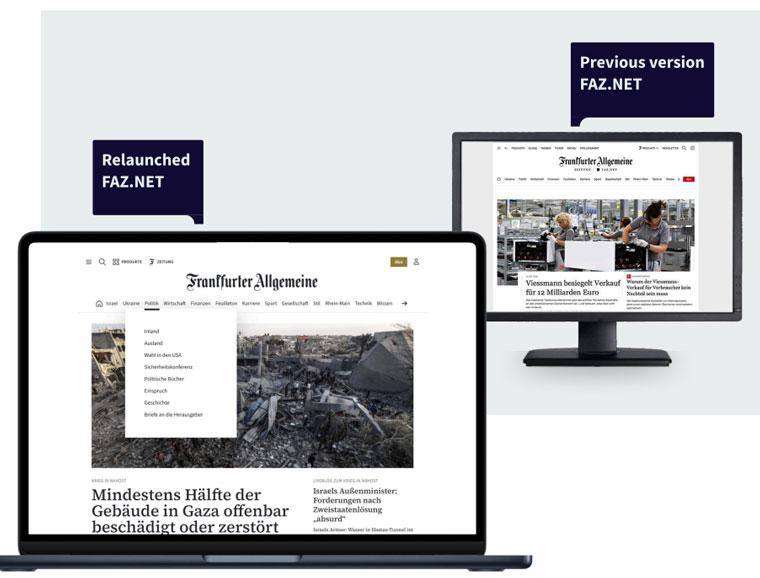
A familiar name, logo, color scheme, or former reporter is not sufficient evidence of continuity.
Compare the old website’s final notice with the new site’s About or introduction page. The relationship should be explicitly identifiable through the publication name, domain, operating company, parent company, or announcement about the rebrand.
A useful evidence chain is:
Old-site announcement → parent-company statement → new-site introduction → matching operator information
Domain-registration information can provide additional technical evidence, but it should not be treated as proof of editorial succession by itself. ICANN’s official Lookup service provides current domain registration data through RDAP, including information supplied by registries and registrars.
For example, a newly registered domain may simply have been acquired by an unrelated party after the original publication closed. Registration dates, therefore, support the investigation but cannot establish that the new website inherited the old newsroom.
Editorial Staff Continuity
Reporter movements provide useful supporting evidence, but individual journalists moving to another publication should not be confused with an entire newsroom being relaunched.
Check the official profiles of several key reporters rather than relying on one familiar byline. Compare their current employer, editorial position, author pages, and publication dates.
A useful distinction is:
| Evidence | Interpretation |
|---|---|
| Entire editorial team moves to named successor | Strong supporting evidence |
| Editor-in-chief joins the new publication | Supporting evidence |
| Several former reporters appear under the new masthead | Supporting evidence |
| One former reporter writes for the new site | Weak evidence |
| Similar writing style or logo | Very weak evidence |
Staff continuity becomes much stronger when it agrees with an official merger, rebrand, or ownership announcement.
Old Article Redirects
The old article URLs should be tested separately from the homepage.
Select articles published at different times and open their original URLs. Record whether each address:
- Opens the same article on the new domain
- Redirects to an equivalent article
- Redirects only to the new homepage
- Redirects to an advertising or unrelated domain
- Produces a 404 or other error
A high-quality migration should preserve important article paths where technically and editorially appropriate. A homepage redirect alone does not demonstrate that the archive itself was transferred.
Test several URLs from different years and sections instead of checking only one successful example. Also compare article titles, publication dates, authors, images, and article text to determine whether the material was actually preserved.
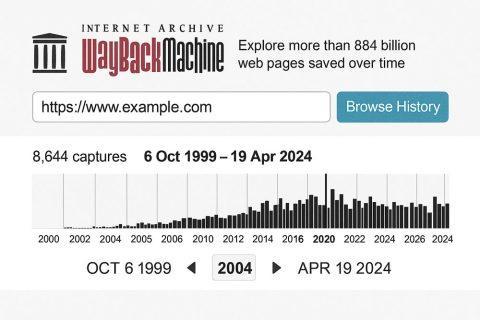
The Internet Archive’s Wayback Machine is useful for checking the former site’s final state. It allows researchers to view archived versions of URLs and compare pages from different dates. The Internet Archive also notes that not every page, image, or link is necessarily captured, so missing archived material should not automatically be interpreted as evidence that the original page never existed.
Successor Status
After collecting the evidence, classify the candidate website rather than simply calling it the “new website.”
Confirmed successor: an official source identifies the new brand or domain as the continuation.
Probable successor: several independent signals agree, but no direct official statement has been located.
Archive transfer: old articles have moved, but there is no evidence that the original newsroom continued.
Unrelated publication: the new website uses similar branding or subject matter without a documented connection.
Closed publication: the original outlet ended and no official successor has been identified.
This distinction prevents a common research error: treating an archive owner, former journalist’s new employer, or buyer of an expired domain as the official continuation of the original media outlet.
The most reliable verification sequence is:
Final official notice → corporate or editorial announcement → brand/domain relationship → staff continuity → old-URL redirect testing → archived-page comparison.
When these sources do not establish a clear connection, the safer conclusion is “successor not officially confirmed” rather than assuming that the first similar-looking website in search results is legitimate.


